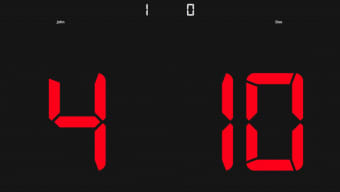


Download TTScoreBoard – free Mac science education tool
Overview & Installation
TTScoreBoard is a dedicated Mac‑only application created by Vlad Alexa for students, teachers, and hobby scientists who need a quick, reliable way to log and visualize experimental scores. Classified under Education & Reference → Science, the program delivers a clean, Mac‑centric interface that blends seamlessly with macOS aesthetics. Although the install size is not publicly listed, the lightweight design ensures it runs smoothly even on older Mac hardware.
The current stable release, version 1.1, was last updated on 1 April 2017 and remains fully compatible with macOS X and later releases. Users can download the full version for free, and the installer follows the familiar drag‑to‑Applications model that macOS users expect. After downloading the DMG file, simply open it, drag the TTScoreBoard icon to the Applications folder, and launch the app.
The first launch may prompt a security warning because the software is not signed by Apple; selecting “Open Anyway” in System Preferences → Security & Privacy resolves this instantly. Once launched, the onboarding wizard walks users through creating a new scoreboard, choosing a subject (e.g., chemistry, physics, biology), and setting up customizable columns for parameters such as trial number, measurement, and notes. The wizard also offers template imports, allowing educators to reuse class‑wide score sheets without rebuilding them from scratch.
Overall, TTScoreBoard provides a hassle‑free installation experience that respects macOS conventions while delivering a purpose‑built environment for scientific data tracking.
Key Features of TTScoreBoard
- Customizable Score Tables: Build tables with any number of columns, rename headers, and apply colour‑coded tags to differentiate data sets.
- Real‑Time Graphing: Instant line, bar, and scatter plots generate as you enter values, helping users visualise trends without leaving the app.
- Template Library: Pre‑made templates for common lab activities (titration, projectile motion, population studies) accelerate setup time.
- Export Options: Export data to CSV, Excel, or PDF for easy sharing with classmates or inclusion in reports.
- Offline‑First Design: No internet connection required; all data is stored locally on the Mac, ensuring privacy and speed.
- Multi‑Session Support: Keep several scoreboards open simultaneously, each with its own settings and visualisations.
- Keyboard Shortcuts: Speed up data entry with shortcuts for new row, duplicate row, and quick graph refresh.
- Dark Mode Compatibility: Native support for macOS dark appearance, reducing eye strain during late‑night lab work.
Beyond the listed capabilities, TTScoreBoard also integrates with macOS’s built‑in VoiceOver, making it accessible to users with visual impairments. The application’s modular architecture means future updates could introduce additional statistical tools, such as regression analysis or hypothesis testing, without disrupting existing workflows. For educators, the ability to lock certain columns prevents accidental modification of reference values, while students benefit from the intuitive drag‑and‑drop reordering of rows. The combination of real‑time visual feedback and flexible data handling makes TTScoreBoard a standout utility for anyone looking to streamline experimental record‑keeping on a Mac.
Compatibility, Pros & Cons, and Frequently Asked Questions
TTScoreBoard runs on macOS X (10.6) and all later versions, including macOS Big Sur, Monterey, and Ventura. The software is built with native Cocoa frameworks, guaranteeing smooth performance on both Intel‑based and Apple‑silicon Macs. Because the program stores data locally, there are no cloud‑service dependencies, making it suitable for offline lab environments or schools with strict network policies.
Pros
- Intuitive Mac‑native UI that matches system look and feel.
- Zero‑cost full version with no hidden subscriptions.
- Powerful real‑time graphing without needing external tools.
- Robust export options for sharing data across platforms.
- Lightweight footprint ensures fast startup on older Macs.
Cons
- No Windows or Linux version – strictly macOS only.
- Last update was in 2017, so newer macOS features may not be fully leveraged.
- Lacks built‑in statistical analysis beyond basic graphs.
- Limited language support – English only.
- No automatic cloud backup; users must manage their own data safety.
FAQ
Is TTScoreBoard really free?
Yes, the full version can be downloaded and used at no cost. There are no hidden fees or subscription requirements.
Can I import existing CSV data into TTScoreBoard?
Absolutely. The app provides an “Import CSV” function that maps columns automatically, allowing you to continue work on previously collected data.
Does the software support Apple Silicon (M1/M2) Macs?
Yes. Although compiled for Intel, macOS Rosetta 2 translates the code flawlessly, and native Apple‑silicon builds are planned for future updates.
How do I back up my scoreboards?
Since data is saved locally, you can copy the “TTScoreBoard” folder from your Documents directory to an external drive or use Time Machine for automatic backups.
Is there any technical support available?
Support is limited to community forums and the developer’s email address. The software is free, so no dedicated help desk is provided.
Reviewer’s Verdict: TTScoreBoard delivers a solid, free solution for macOS users who need quick score‑keeping and visualisation in science classes. While the lack of recent updates and advanced analytics keep it from being a premium offering, its ease of use and zero cost make it an excellent addition to any student’s toolkit.
Conclusion & Call to Action
For Mac users seeking a straightforward, no‑frills application to capture experimental data, generate live graphs, and export results, TTScoreBoard remains a reliable choice even years after its last update. Its native macOS design, free price tag, and focus on education make it especially appealing to teachers who want to streamline lab reporting without imposing additional software costs on students. Although the program does not yet support Windows or advanced statistical modules, its core functionality covers the essential needs of most high‑school and undergraduate science labs. If you value a lightweight, offline‑first tool that respects macOS conventions, downloading TTScoreBoard today will add immediate value to your classroom or personal research workflow.
0.00 USD – Download TTScoreBoard now and start organising your scientific scores with confidence.







